PetSight — AI Pet Health Monitor


INTRODUCTION
PetSight is a mobile app that turns short videos, photos and a few simple questions into an early warning system for your pet's health.
Think of it as a translator between "he's just been sleeping a lot lately" and "here's a clear report you can show your vet tomorrow."
This was the final pitch project of the Interface Design module in the Postgraduate in Digital Experience Design (PG-DXD, FBAUL). In 4 weeks, our team of four took it from a raw idea to a working interactive prototype, and pitched it to the class.
The Problem
Here is something most pet owners don't know: animals instinctively hide their pain. In nature, showing weakness is dangerous, so cats and dogs mask it.
The result? By the time an owner notices something is wrong, a small issue has often grown into an emergency. Owners are left anxious and unsure — Is this serious? Can it wait? What should I do right now?
We Listened First
Before designing anything, we spoke with the people closest to the problem: veterinarians, animal NGOs, veterinary students and pet owners. We also researched the clinical signs vets actually rely on.
What we learned shaped the whole product:
- Cats and dogs show pain differently. Cats hide it almost completely, so subtle facial signs matter. Dogs show it more through behaviour.
- Facial pain scales point to a problem, not a diagnosis. They tell you an animal is in discomfort — not what disease it has.
- The app must never diagnose. Its job is to guide the owner and prepare them for the vet visit.
- Good questions matter. How long has this been going on? Did they eat something unusual? Has anything changed at home?
THREE PROBLEMS TO SOLVE
Hard to Detect
Pain is hidden, so early signs are nearly invisible to the naked eye.
Hard to Judge
Owners can't tell how serious a symptom is, or whether it can wait.
Hard to Explain
Vets need clear, objective information — not "he seems a bit off."
THE CORE INSIGHT
What your pet feels, the AI can see.
THE COMPETITION
Tably
Video-based monitoring for cats only, using facial expression (the Grimace Scale) alone.
→ PetSight looks at both face and movement, and works for cats and dogs.
Whistle / Fi Collars
Smart collars that count steps and activity. They need extra hardware and give numbers, not clinical insight.
→ PetSight needs no hardware — just a phone — and focuses on the quality of movement, not the quantity.
Telemedicine apps (e.g. Vetster)
Video calls with vets. Useful, but they depend on a vet being available and don't monitor the animal over time.
→ PetSight works as an automatic first triage that supports the vet instead of replacing them.
Goals & My Role
The Goal
Design an app that helps owners catch problems early. Four goals guided us:
- Early detection — spot subtle signs before they become visible.
- Preventive care — encourage regular check-ups instead of late reactions.
- Health history — build a clear record of the pet's evolution.
- Better communication — give owners and vets more objective data.
My Role
Research, wireframing and prototyping, working alongside Gonçalo Almeida, Rafael Pires and Eduardo Gamboa. I contributed across the project, with a focus on the design system, user flows and AI interaction, Use Case 3 and the interactive prototype. After feedback, I also redesigned the homepage symptom tracker and the medical record.
How We Worked
- Choosing the idea: We shortlisted five AI app concepts and picked PetSight because it solved a deeply emotional problem, used AI in a tangible way (computer vision) and posed real design challenges — like how to guide someone to film their pet correctly.
- Research: Conversations with vets, NGOs, vet students and owners, plus a benchmark of AI pet-health tools and smart collars.
- User flows: We split the app into six flows — Onboarding, Clinical Assessment, Digital Prescriptions, Manage Profiles, Pet Health Planner and Health Journey — all connected through the Home page, so there are no dead ends.
- Sketches & wireframes: Paper sketches for every flow, then grey wireframes to test structure before style.
- Feedback & iteration: Two rounds of feedback (teacher and peers) reshaped the flows and screens.
- High fidelity & prototype: A full design system, final screens and a clickable prototype built around three real use cases.
HOW THE AI WORKS
Body Analysis
The phone camera tracks your pet's walk and movement — no markers or sensors needed — to catch small changes the human eye misses.
Facial Expression (Cats)
Based on a validated veterinary scale (the Feline Grimace Scale), the AI reads subtle signs like ear position, eye tension and whiskers, and turns them into a discomfort level.
Guided Questions (Dogs)
Dogs' faces are harder to read, so the app guides the owner through a structured questionnaire based on the Glasgow Pain Scale.
DESIGNED RESPONSIBLY
Support, Not Diagnosis
PetSight helps with prevention, but never replaces the vet or gives a diagnosis.
Honest About Limits
Lighting, angle and distance can affect accuracy. Alerts encourage a closer look and a vet visit — not panic.
Not for Emergencies
In acute situations, the app sends you straight to a vet. Videos and data are protected and used only to improve the AI.
THREE USE CASES
Pedro — The First Check-up
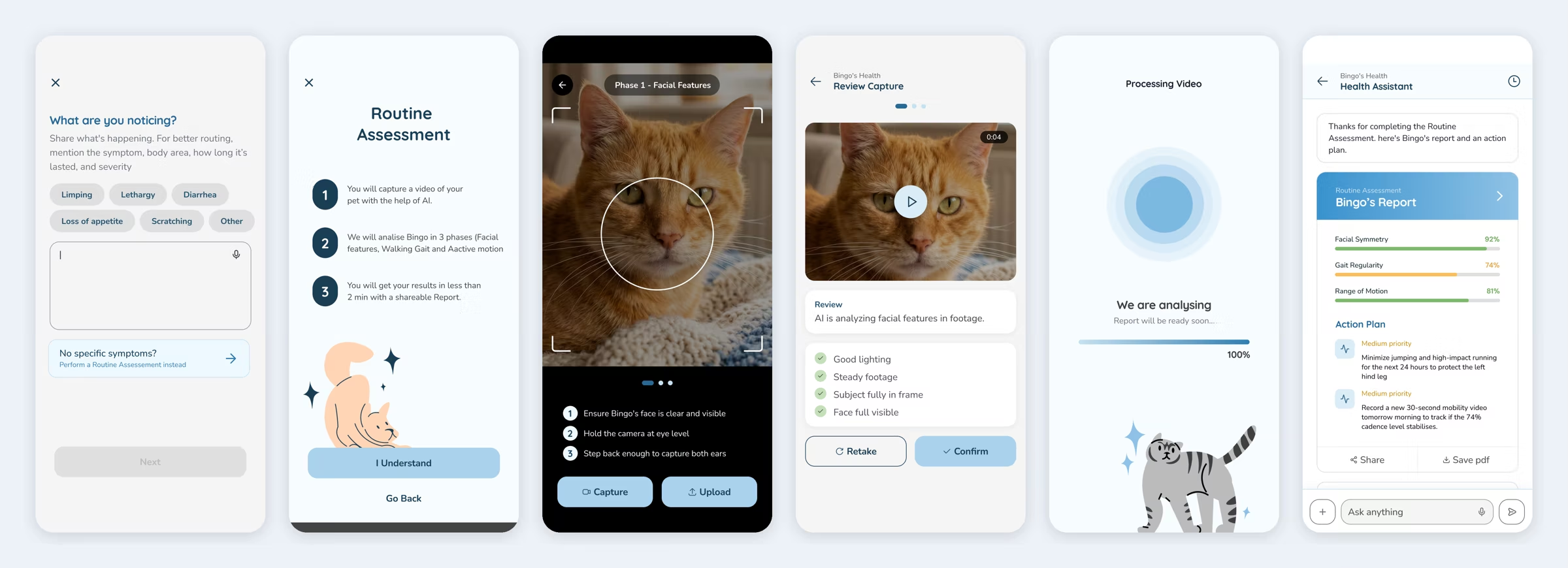
He's just downloaded PetSight and wants a "test run" with his cat Bingo: explore the app and get a first baseline report.
Matilde — The Worrying Paw
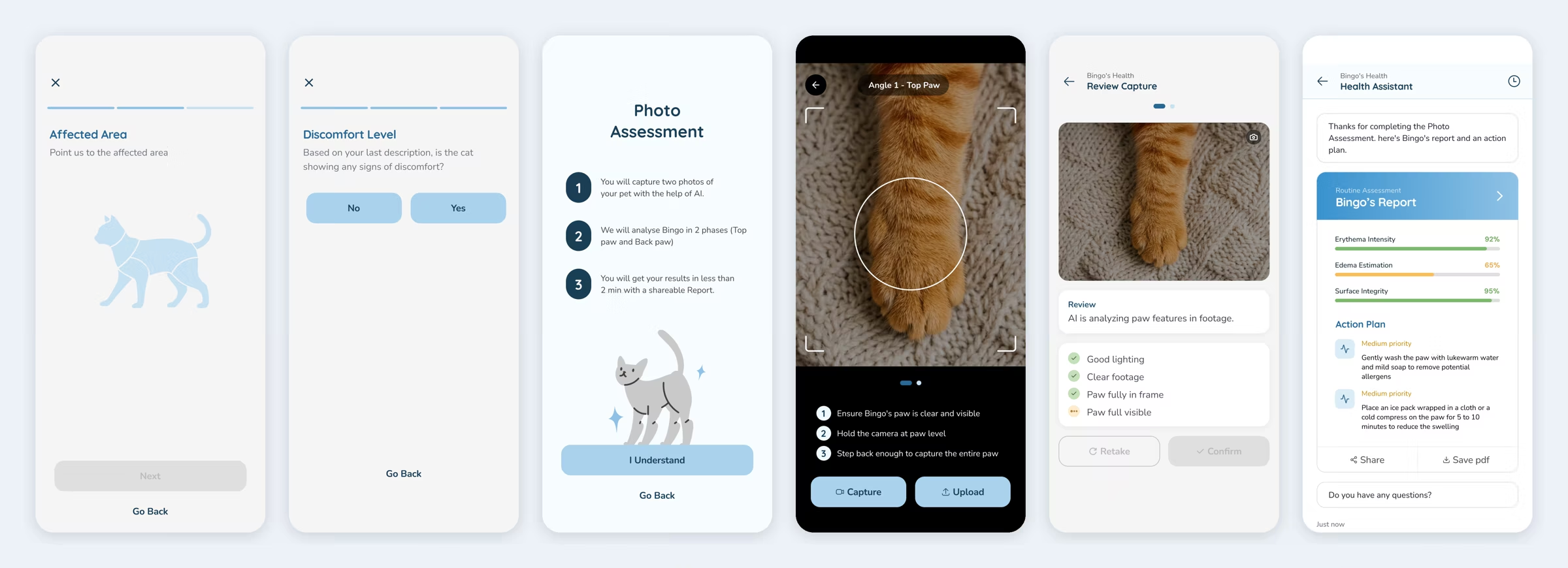
She's noticed a red swelling on her cat's paw. She needs to know now: rush to the emergency vet, or treat it at home?
Sofia — The Quiet Cat
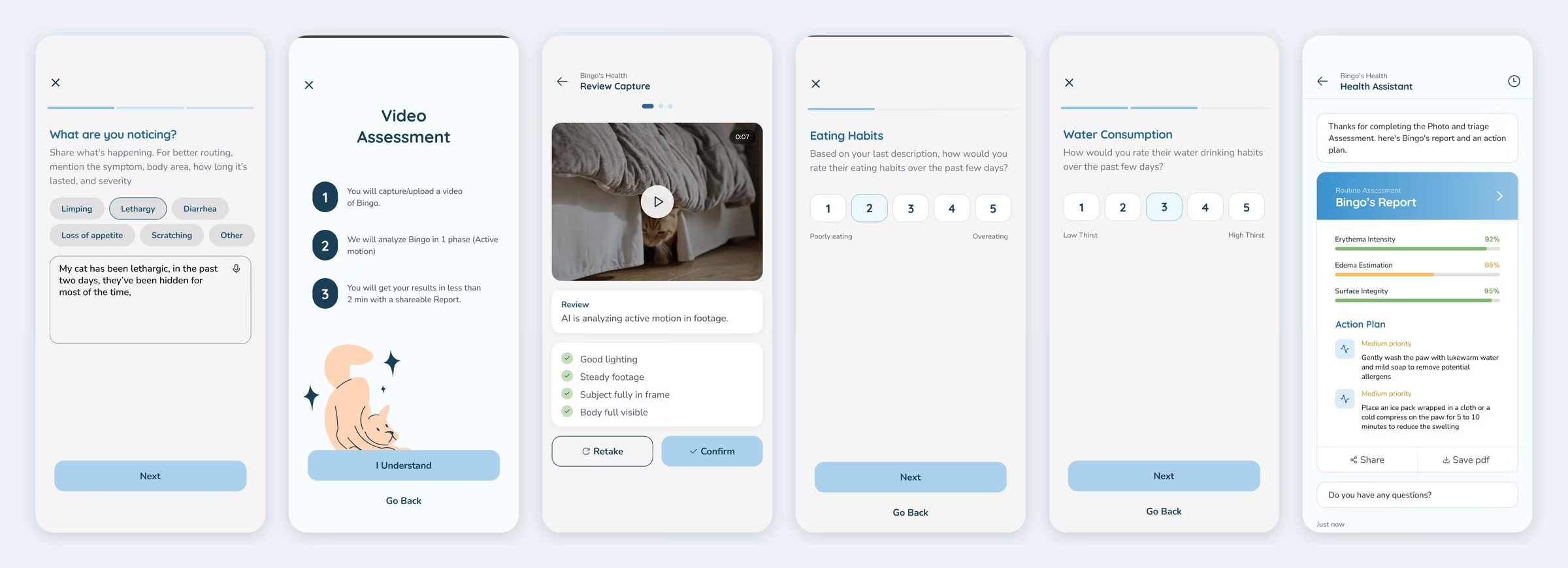
Her cat has been lethargic and hiding under the bed for two days. She wants a full check-up and a report to show the vet tomorrow.
From Paper to Prototype
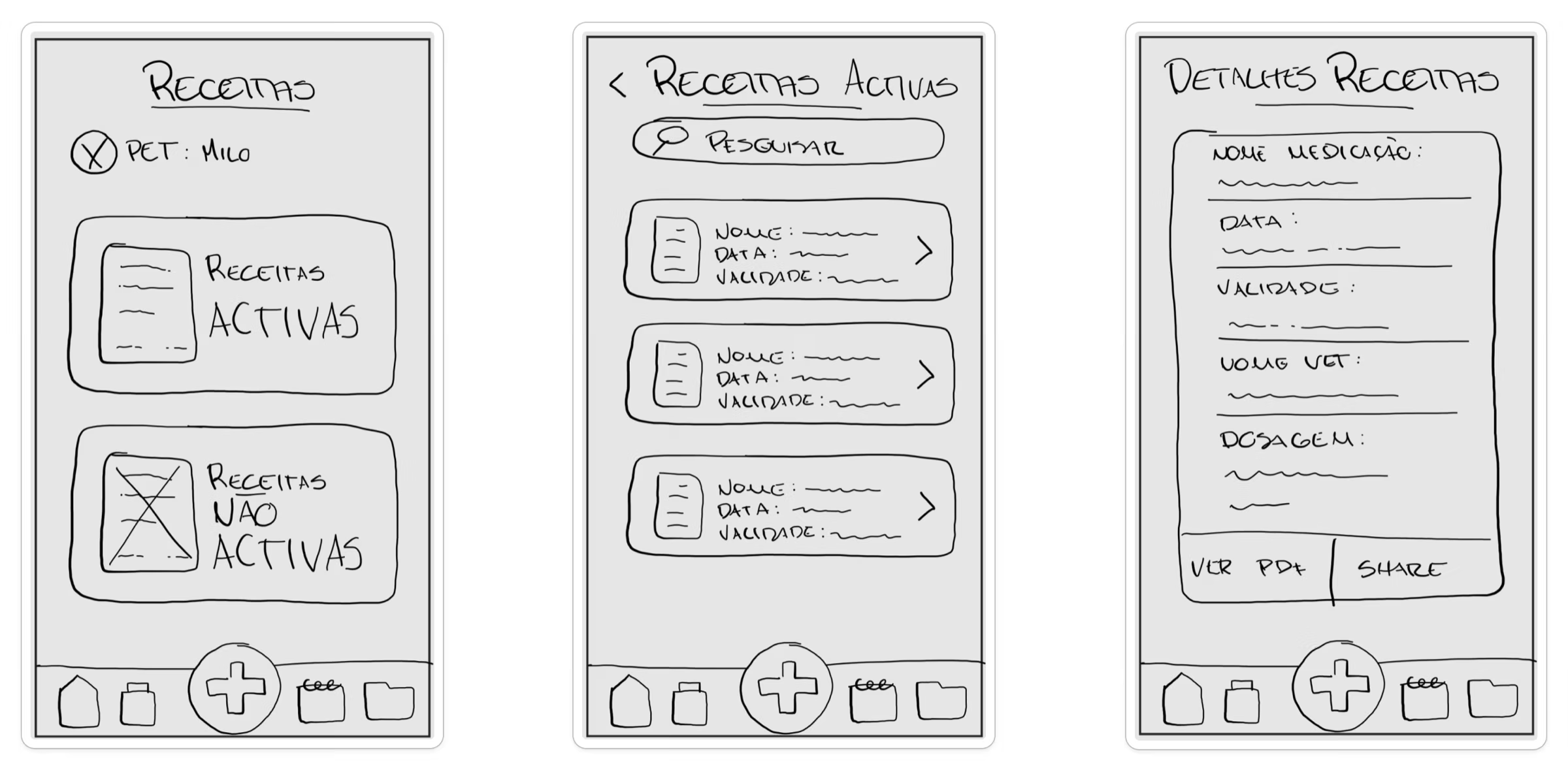
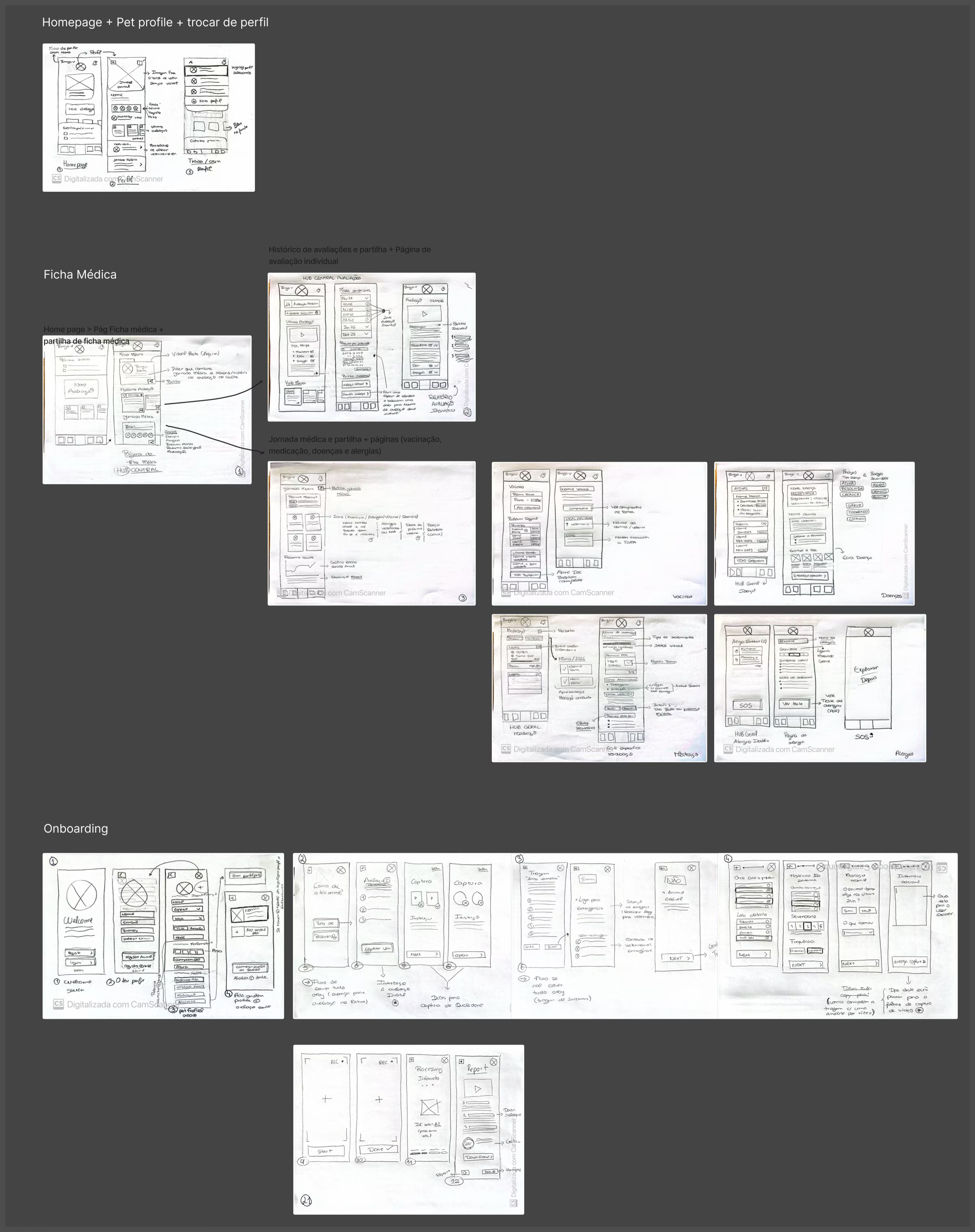
Sketches
Every flow started on paper — homepage, medical record, prescriptions and onboarding.
Wireframes
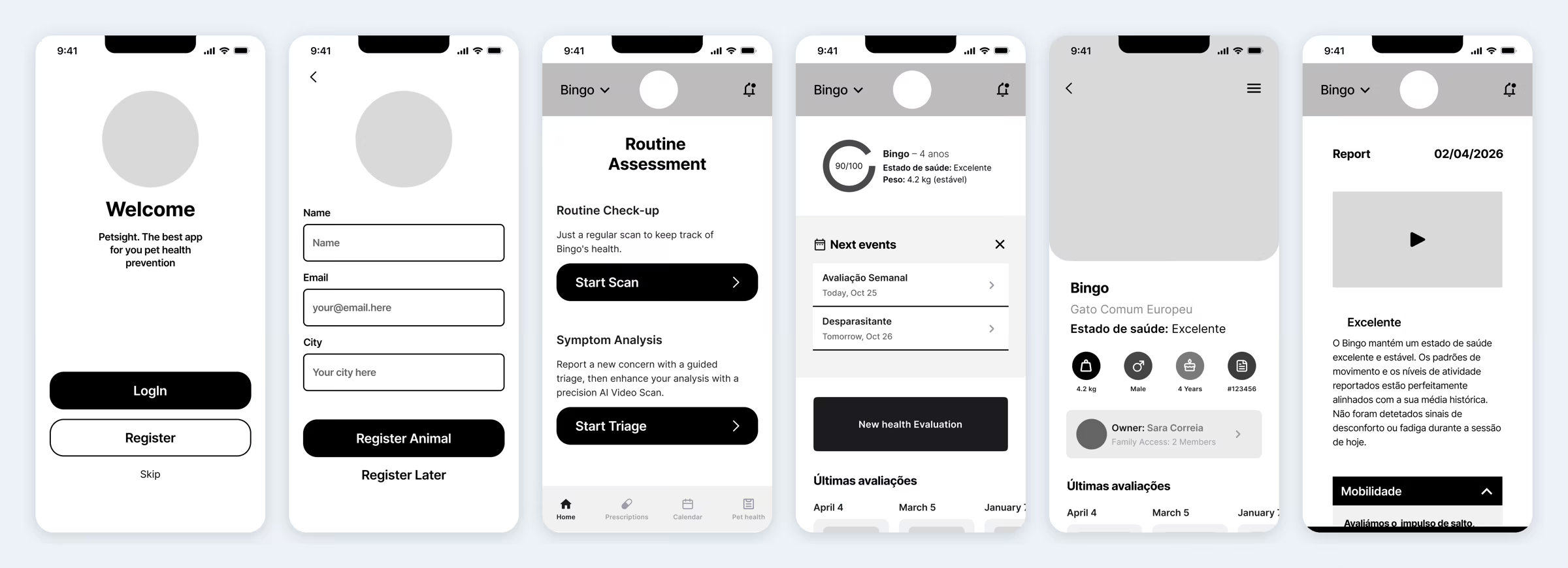
Grey wireframes let us test structure and hierarchy before thinking about colour or style.
What Feedback Changed
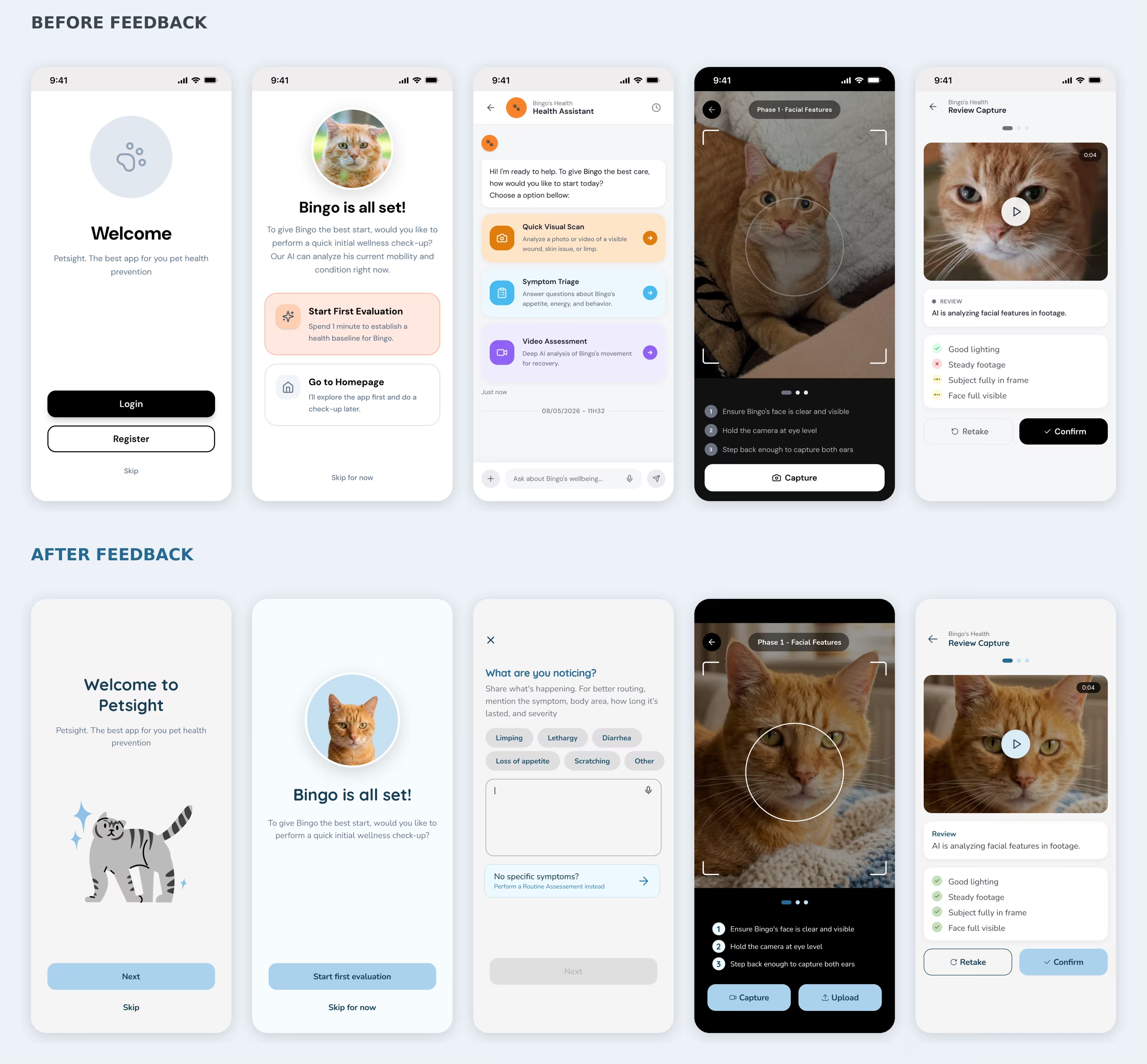
Feedback from our teacher and classmates turned a working app into a clearer one:
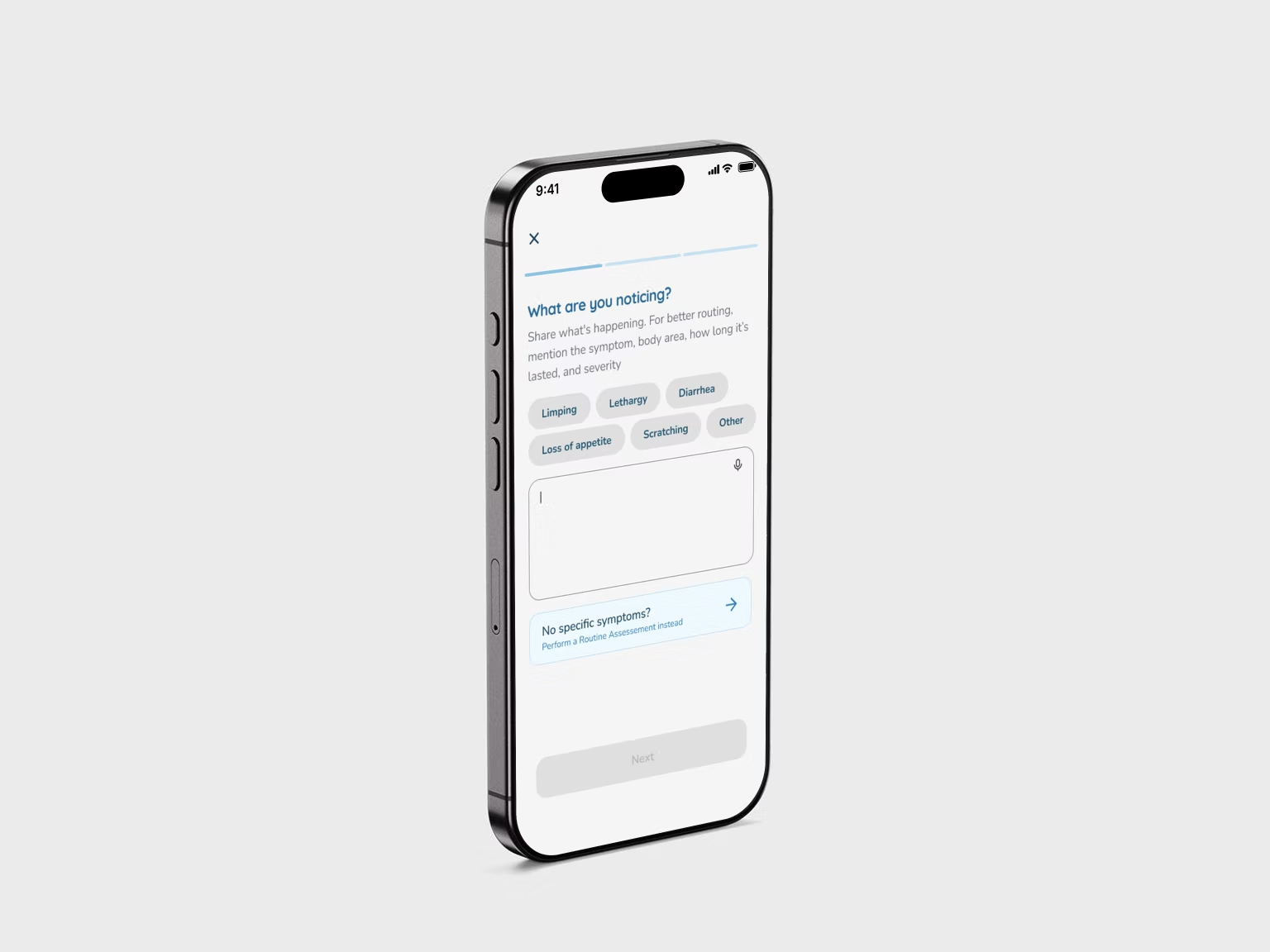
- No more "choose your path" menu. The assessment now starts with one simple question — "What are you noticing?" — with a shortcut to a routine check if nothing is wrong.
- One question per screen in the triage, so it feels quick and calm instead of like a form.
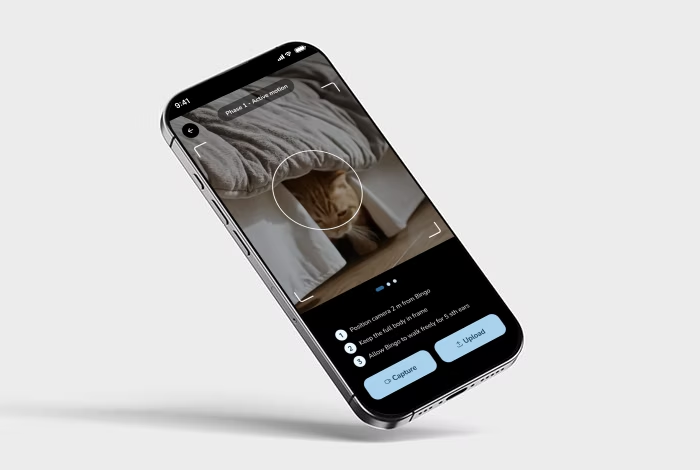
- A guided scan. Clear tips, real-time checks (lighting, steady footage, pet in frame) and the option to retake or upload.
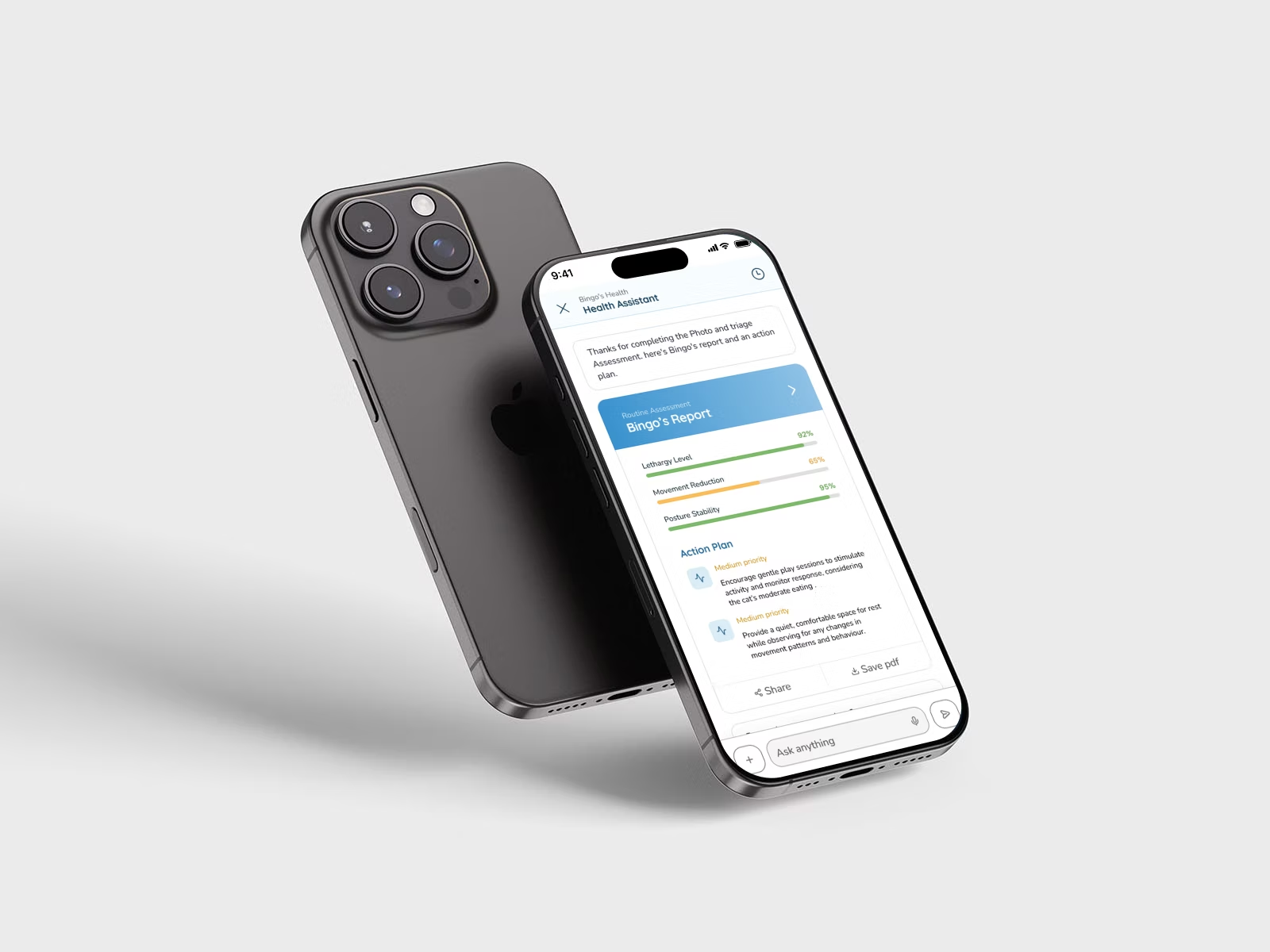
- Different reports for different situations — routine check, photo assessment, symptom triage — each with a short summary and an action plan.
- A lighter start. Registration asks only what matters and can be skipped, because the pet is what counts.
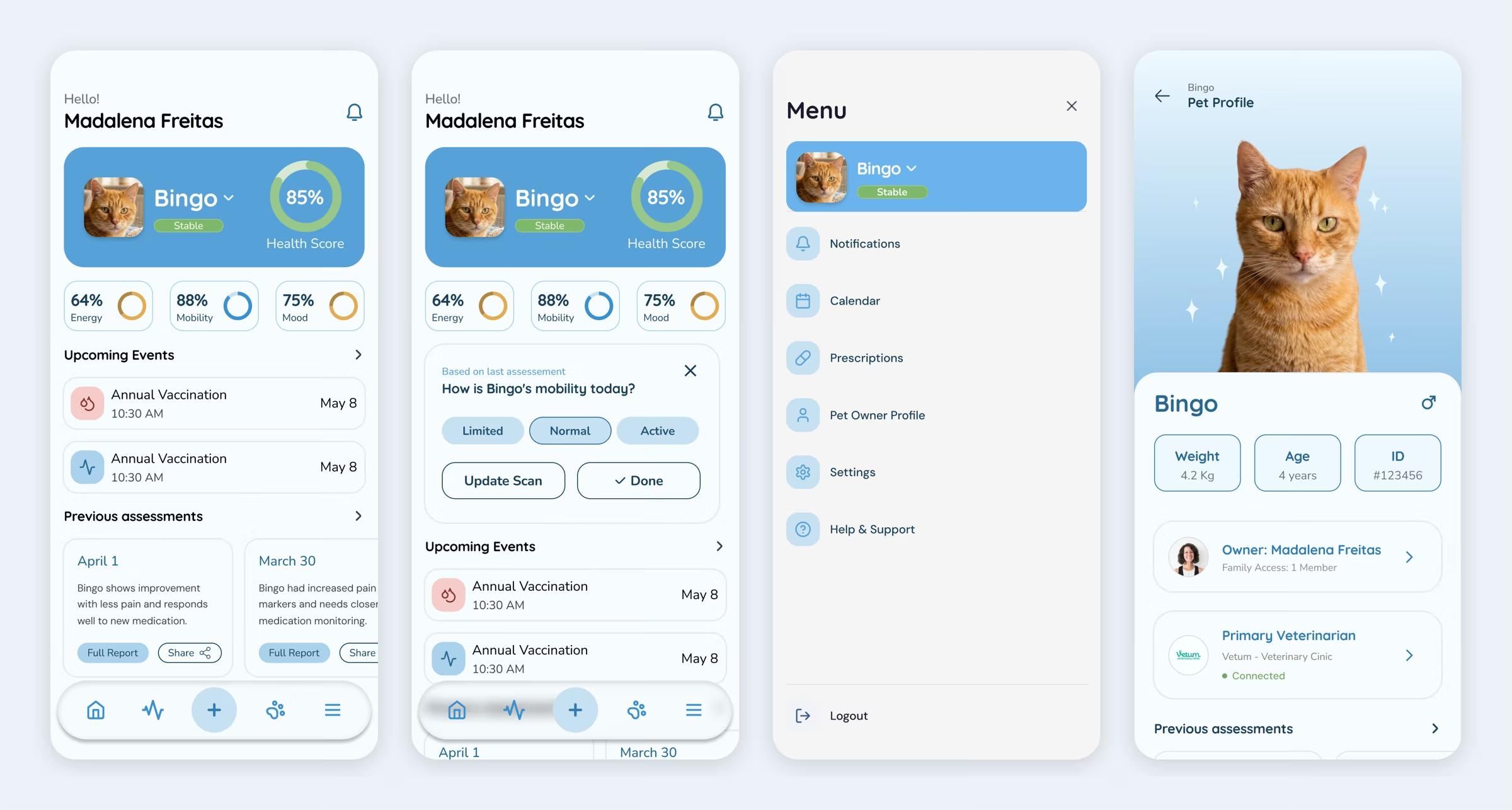
- Symptom tracking on the homepage (my redesign). When a symptom is logged, a card appears asking "How is Bingo's mobility today?" so owners can follow it day by day.
- A cleaner medical record (my redesign). Less text, modular sections and clear icons instead of one heavy overview.
Design System
Calm, Clinical, Friendly
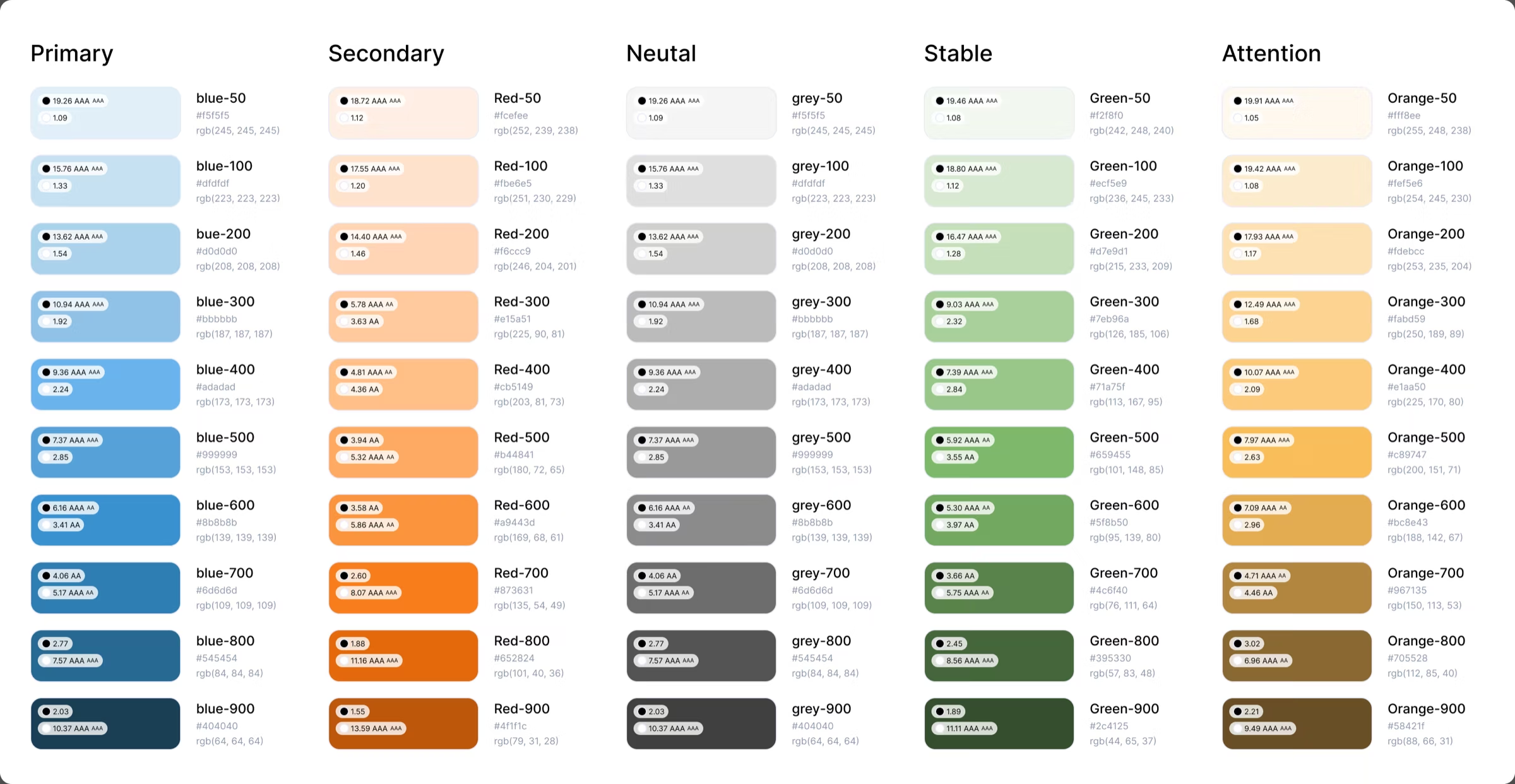
Blue is the primary colour — clean, calm and strongly linked to health and trust — supported by soft greys. Semantic colours (green, yellow/orange, red) show a pet's status at a glance: all good, needs attention, or alert.
Built to Scale
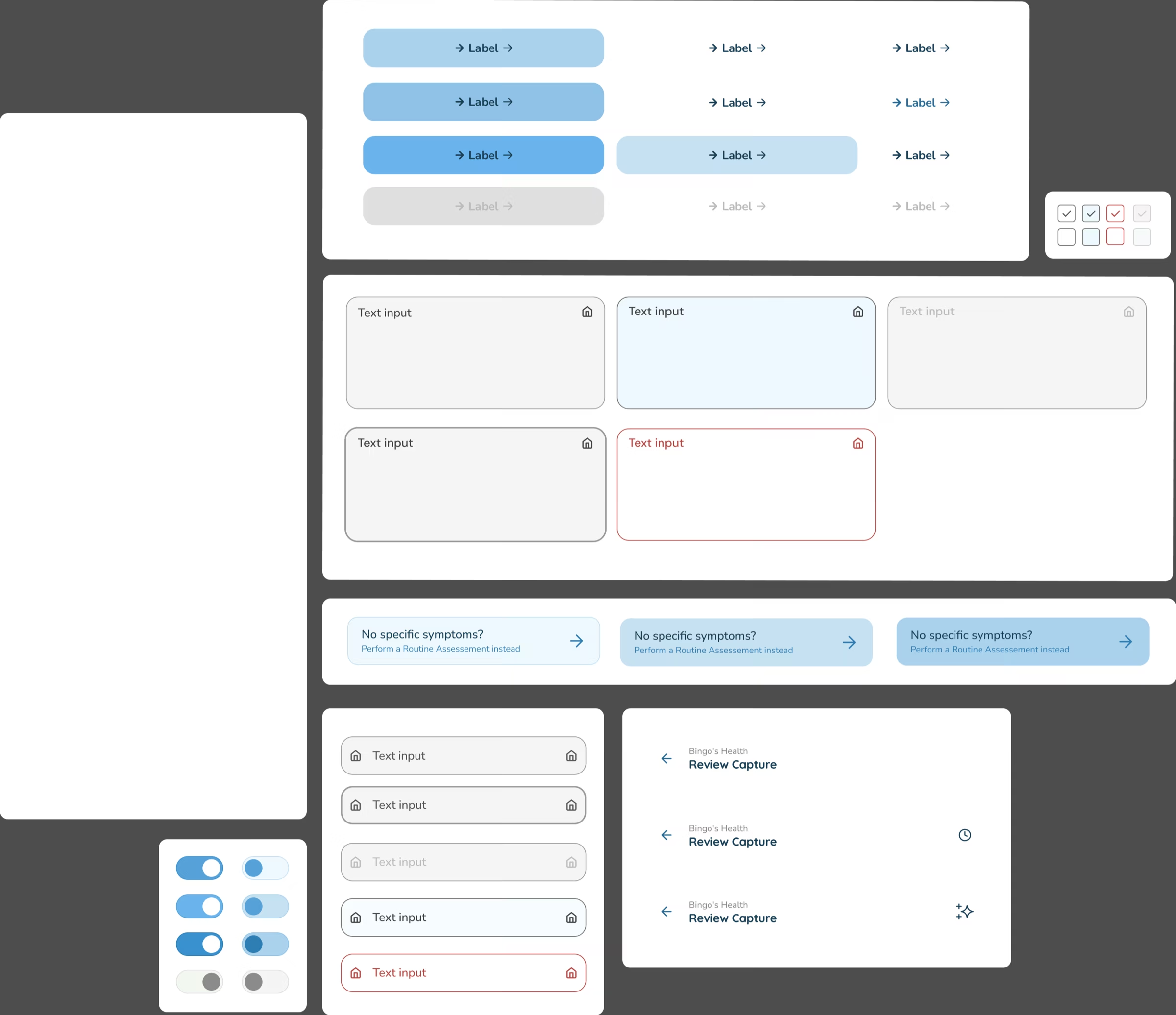
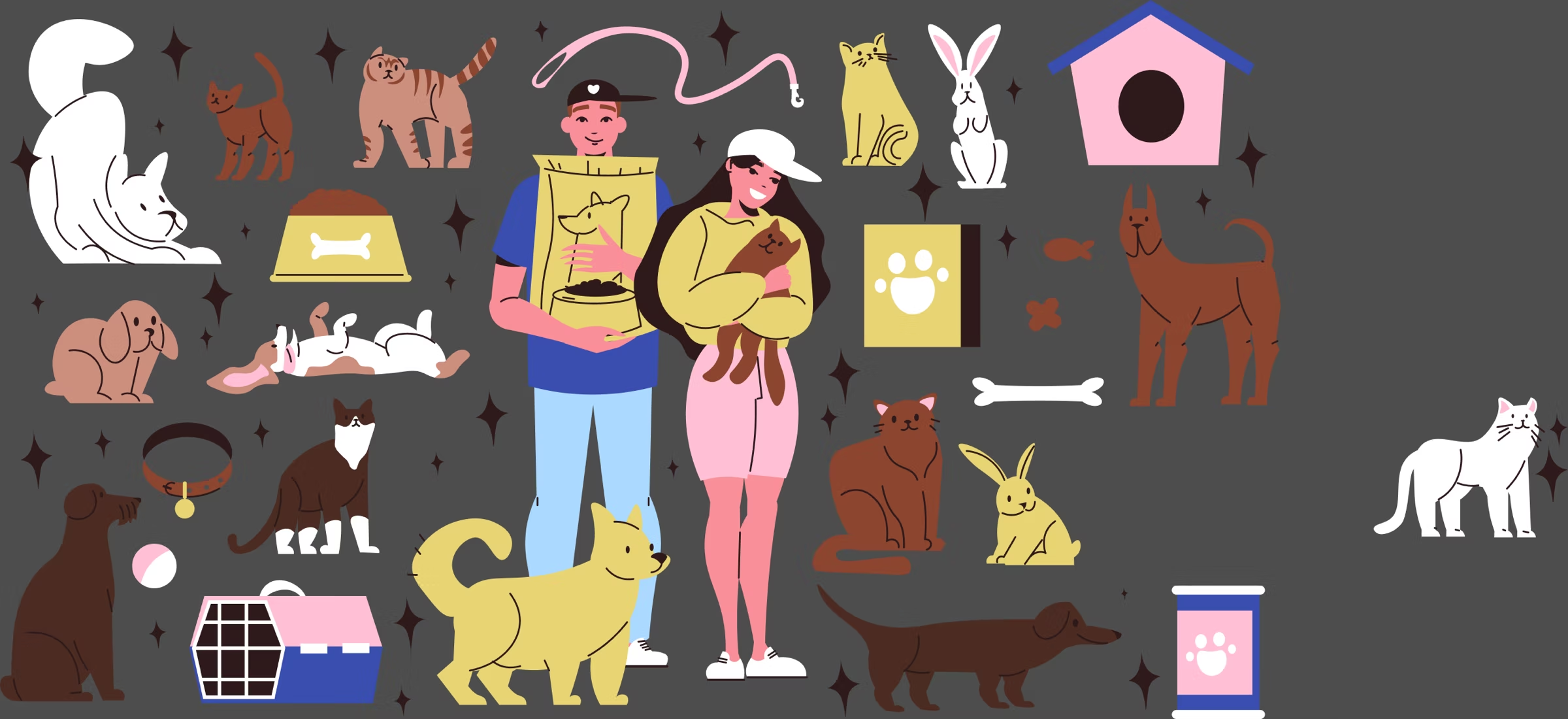
A rounded sans-serif typeface keeps text easy to read while feeling friendly. Every component — buttons, inputs, tags, severity bars, report cards — follows an 8-point spacing system and design tokens for colour, spacing, radius and type. Gentle cat illustrations soften loading and waiting moments.
Final Design
A Gentle Welcome
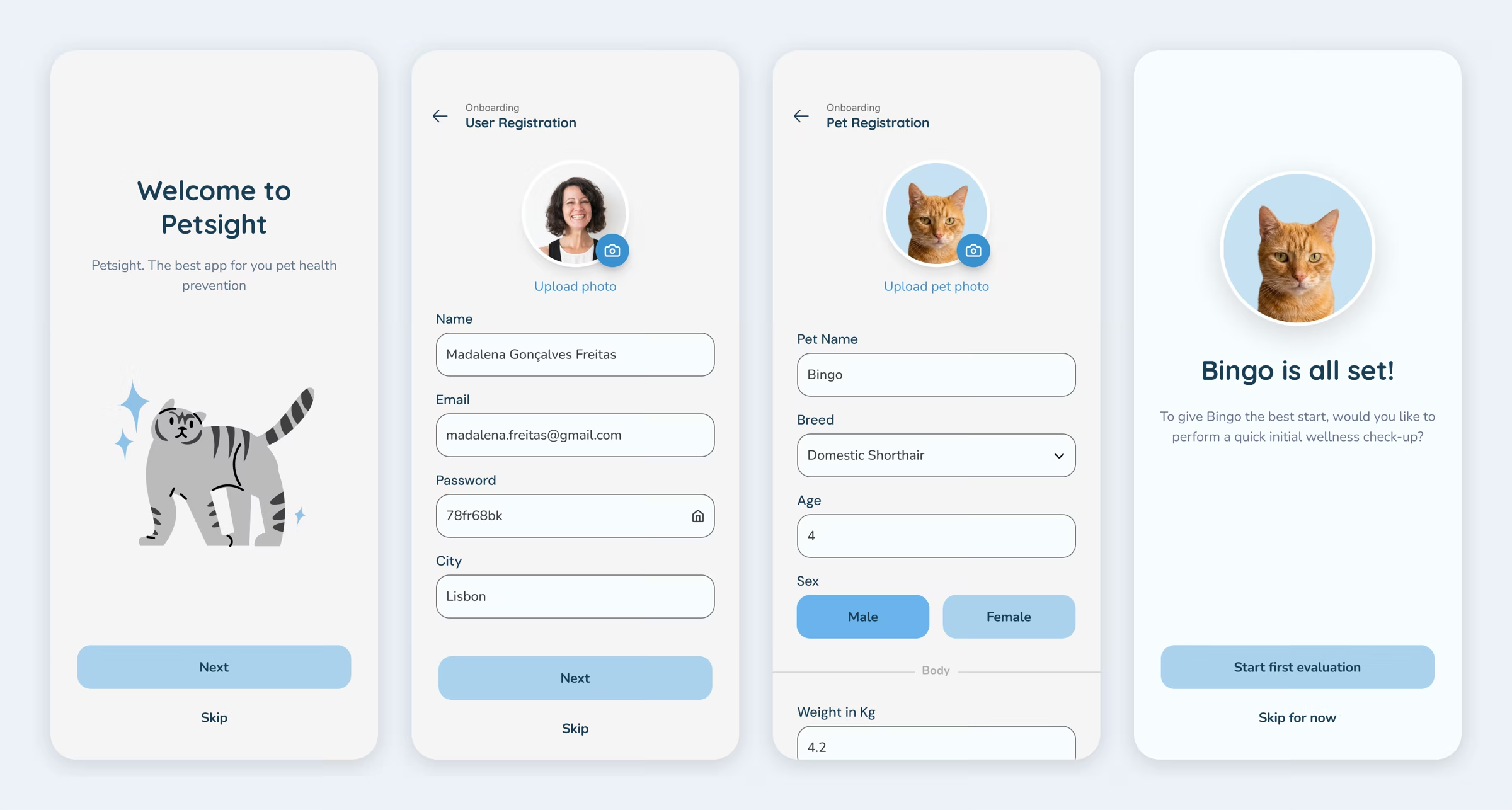
Onboarding asks only for the essentials — your name, your pet's name, breed and a few health details. At the end, owners choose: start a first check-up now, or explore the app first.
Peace of Mind in Seconds
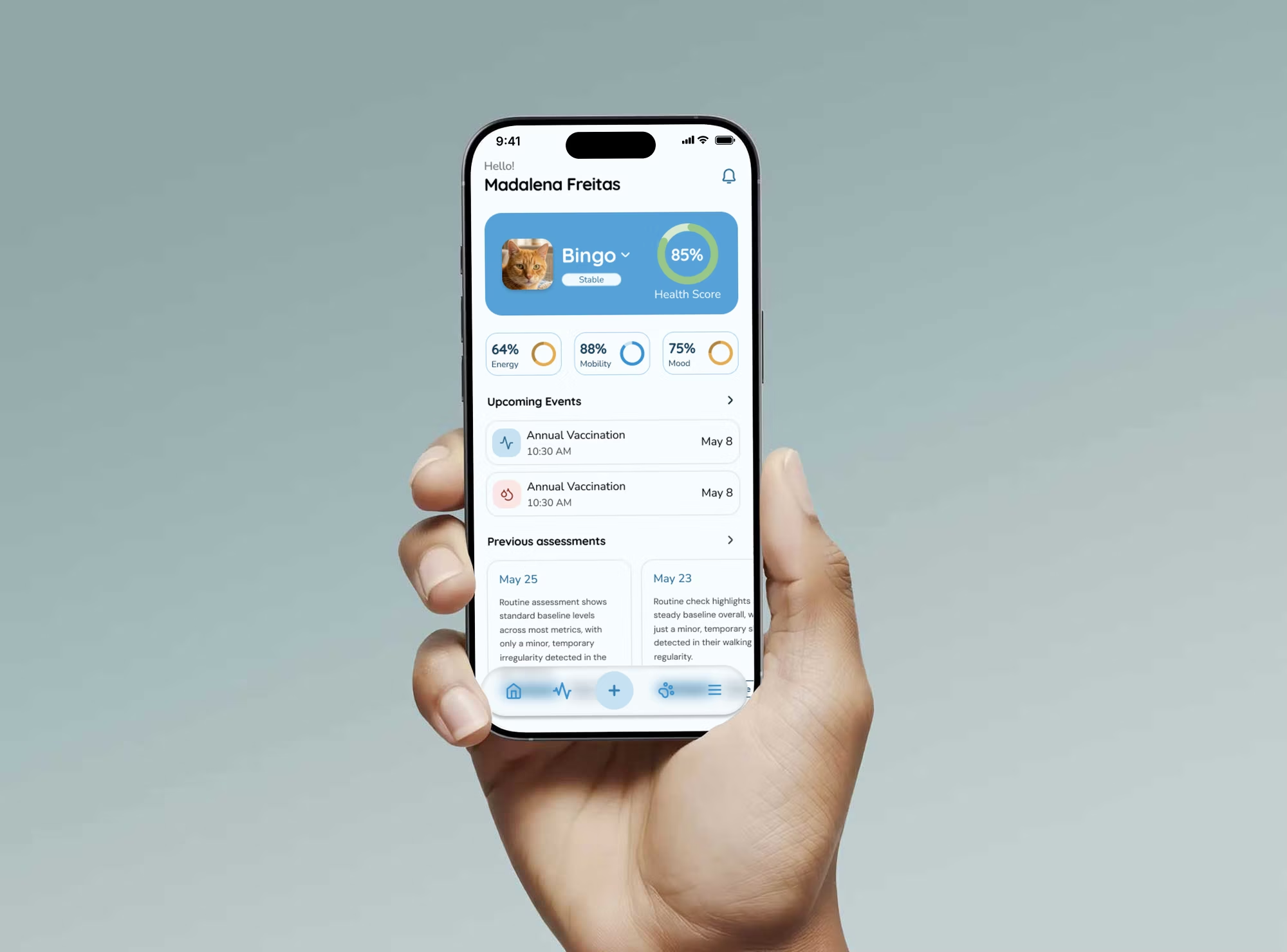
The homepage shows the pet's Health Score, energy, mobility and mood at the top, so an owner knows how their pet is doing in a few seconds. Upcoming vaccines and check-ups sit just below.
Start With What You See
Every assessment begins with "What are you noticing?" Owners can tap a symptom, type or speak — or skip straight to a routine check.
A Guided Scan
Filming a pet is hard. Each phase gives three simple tips and checks the footage in real time, so owners know when to retake before the AI analyses it.
Reports Anyone Can Read
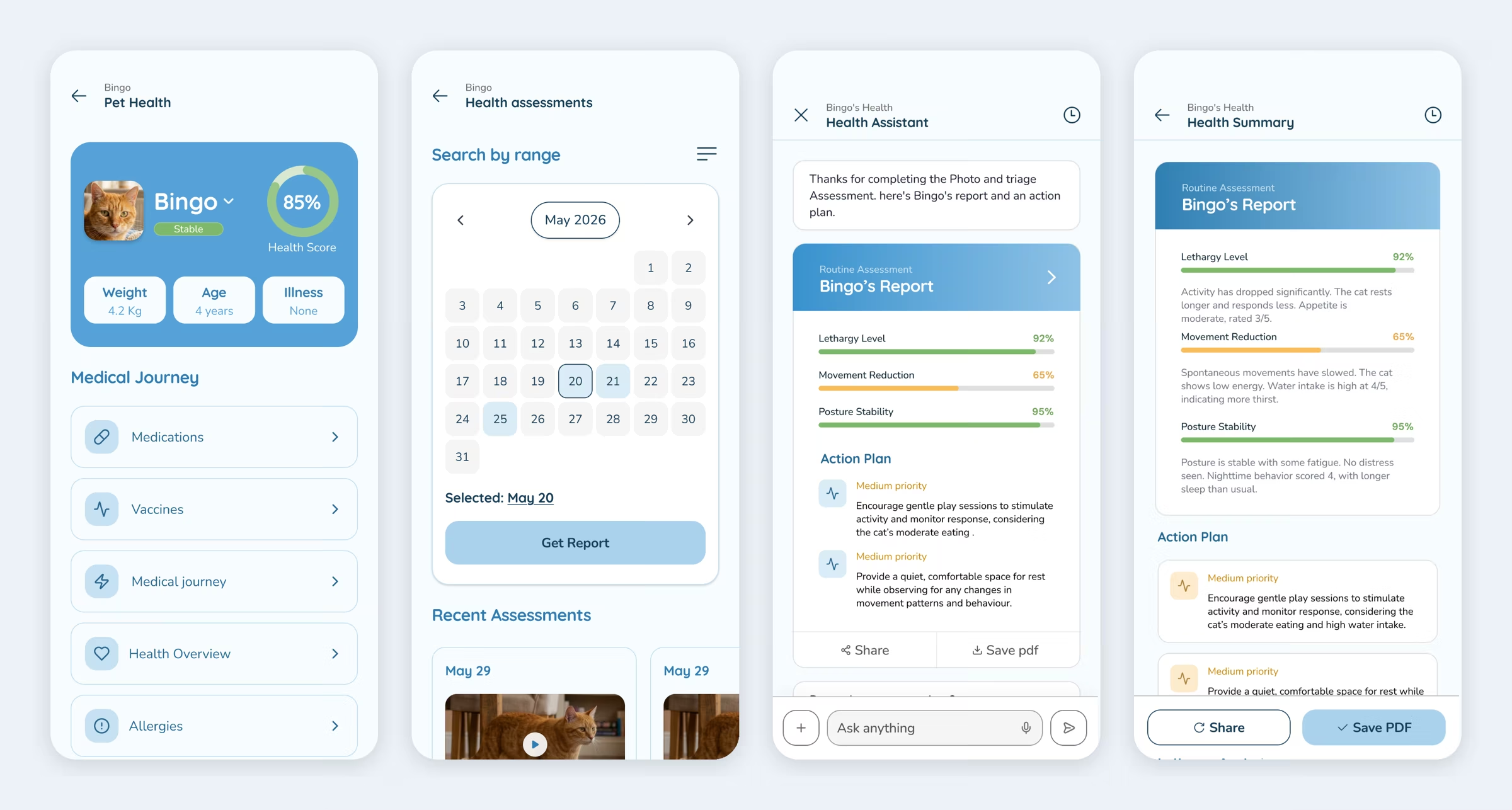
Results arrive in a chat with the Health Assistant: a short summary, clear bars, and an action plan sorted by priority. Owners can ask follow-up questions, share the report or save it as a PDF for the vet.
The Full Health Story
Pet Health brings everything together — medical journey, vaccines, medications, allergies and past assessments, searchable by date.
Try the Prototype
Walk through all three use cases in the interactive Figma prototype.
View PrototypeWhere It Goes Next
Usability Testing
Test the full journey with real pet owners, from the homepage to the detailed health reports.
Complete Medical History
Design the remaining flows for full medical history, treatments and ongoing conditions.
Assessments for Dogs
Expand the AI to dogs using the clinically backed Glasgow Pain Scale.
KEY INSIGHTS
In health, how you say something matters as much as what you say. PetSight's real job isn't detecting problems — it's helping a worried owner take the right next step, calmly, with information their vet can trust.
What I Learned
Inform Without Causing Panic
A health app talks to people who are already worried. Every word, colour and alert had to inform without scaring — suggesting a closer look or a vet visit instead of shouting "danger." Calm design is responsible design.
One Report, Two Readers
The same report has to make sense to a pet owner and be useful to a vet. We learned to layer it: a plain-language summary and action plan first, with the detailed data underneath for the professional.